Your team schedules a task in one app, discusses it in another, and confirms completion in a third. Some tools promise automation but still require a manager to nudge every assignee by hand. That gap between scheduling and actual follow-through is where deadlines slip.
This comparison covers how Tasks.Bot handles scheduled task automation inside WhatsApp, where it stands on reliability, and which features matter for field teams. You will also see its pricing, beta status, and refund policy, so you can decide whether it fits how your team already works.
What Is Tasks.Bot? Task Management That Lives in WhatsApp
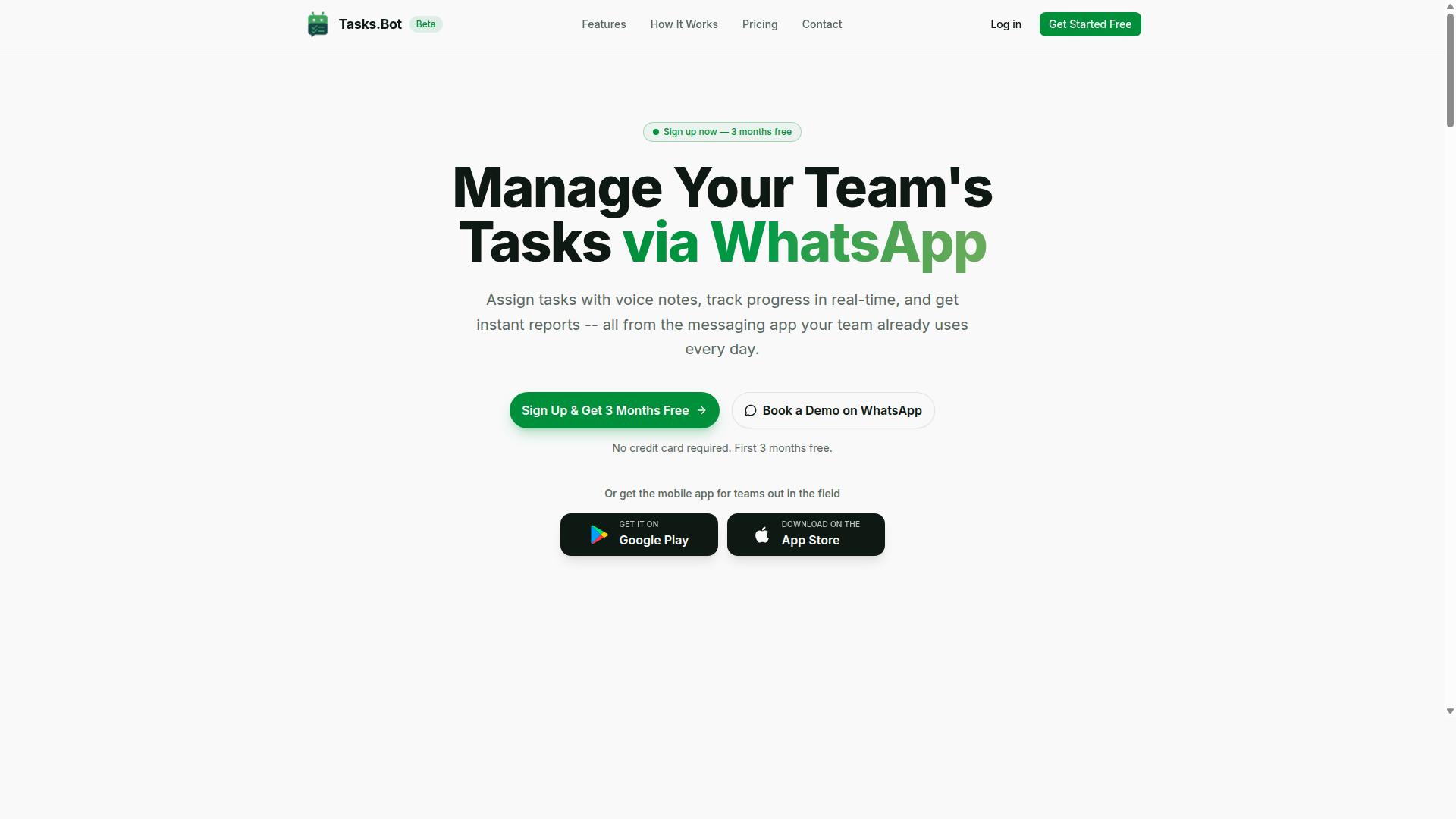
Tasks.Bot is a task management platform that operates entirely within WhatsApp, allowing teams to assign tasks, track progress, and receive reports without leaving the messaging app. Instead of asking every team member to install new software or create yet another account, the platform meets people where they already spend their day: their chat app.
That design choice removes one of the biggest barriers to adopting a task scheduler. There is no onboarding marathon, no forgotten password, and no half-empty dashboard. Work gets assigned, discussed, and closed out inside a conversation thread that the whole team can already see.
Tasks.Bot pairs its WhatsApp core with Android and iOS apps built for field teams. Those apps add push notifications, voice capture, and a home screen widget, which matters for crews working on the move rather than at a desk.
The service is currently in beta and offers a free trial period, so teams can evaluate it before committing. It is already used by hundreds of teams globally, spanning office staff and mobile workers alike.
Beyond messaging, the platform covers approvals and automations, instant reports, tasks on a map, a live day tracker, face-verified attendance, and shifts, leave, and hours management. For a task management tool, that is a broad footprint delivered without a separate scheduling app.
How Tasks.Bot Handles Scheduled Task Automation
Tasks.Bot automates scheduled tasks through WhatsApp by allowing users to create tasks via voice notes or natural language, which are then processed by AI to set deadlines, assignees, and reminders. A manager can simply describe what needs doing, and the platform turns that message into a structured, trackable task.
The AI is built to understand user intent, so instructions do not need to follow a rigid format. Someone can mention a job, a due date, and a person in one breath, and the system sorts out the details.
From there, scheduled task automation takes over. The platform supports:
- Recurring tasks for work that repeats on a set rhythm
- Smart deadline reminders that keep due dates visible
- Approvals so sign-offs happen before work closes
- Automations that move tasks forward without manual chasing
Automation triggers can be time-based or event-driven, which means a task can fire on a schedule or in response to something that happens in the workflow. This is the same idea behind time-based triggers and event-driven automation found in larger automation platforms, but it arrives through a chat window rather than a configuration screen.
Everything stays tracked within WhatsApp. Assignees see what is due, approvers see what needs a decision, and reports come back as instant summaries. No separate app is needed for scheduling, and no one has to remember to check a second system.
For teams weighing task management options, the appeal is simple: scheduled task automation that runs where the conversation already happens, with a mobile app for the people who are not at a desk. Tasks.Bot keeps the scheduling layer invisible and the work visible.
Is Tasks.Bot a Reliable Choice for Scheduled Task Automation?
Reliability in scheduled task automation hinges on consistent execution, error handling, and transparent reporting, areas where Tasks.Bot's WhatsApp-centric approach offers unique advantages and considerations. The question isn't whether Tasks.Bot matches a traditional task scheduler feature for feature. It's whether it delivers dependable execution for the teams it was built to serve.
Tasks.Bot operates entirely inside WhatsApp, a platform billions of people already open every day. That design choice removes the biggest practical barrier to reliable scheduled task automation: getting people to actually use and monitor the system. When your automation lives where your team already communicates, tasks are less likely to be forgotten or ignored.
Reliability also depends on how tasks get created. Tasks.Bot uses AI-driven task creation, which reduces the manual errors that creep into hand-written cron expressions or misconfigured time-based triggers. Fewer setup mistakes mean fewer silent failures later. Instant reports then close the loop by giving visibility into what ran and what didn't, so problems surface quickly instead of quietly piling up.
For teams weighing cloud scheduling tools, this combination of accessibility, guided setup, and reporting covers the essentials of dependable execution without extra infrastructure.
No automation platform is without tradeoffs, and Tasks.Bot is honest about where it stands today. The service is currently in beta, which means occasional bugs are possible. That's a fair concern for anyone planning to route critical recurring tasks through it.
Two factors soften that risk. First, the website includes a refund policy, so teams evaluating the tool aren't locked into an unrecoverable decision if it doesn't fit. Second, beta status also means the product is actively evolving, and feedback from early users tends to shape what gets fixed first.
The other consideration is structural: because Tasks.Bot runs inside WhatsApp, its availability is tied to WhatsApp's uptime. For most teams this is a non-issue, since WhatsApp is among the most stable messaging platforms in the world. Still, it's worth naming plainly rather than pretending the dependency doesn't exist.
Compare this to traditional schedulers. Self-hosted job runners and standalone automation platforms give you full control, but they also demand servers, maintenance, monitoring, and someone on the team who understands cron jobs and retry policies. That overhead is itself a reliability risk, because neglected infrastructure fails quietly.
Tasks.Bot trades a small platform dependency for the removal of that entire maintenance burden.
For teams already on WhatsApp, Tasks.Bot is a reliable and low-friction choice. The reasoning is straightforward:
- High accessibility: the tool lives in an app your team already uses daily, so nothing new to install or learn.
- Fewer manual errors: AI-driven task creation reduces misconfigured schedules compared to hand-built timing logic.
- Clear visibility: instant reports show what executed, supporting faster detection of issues.
- Lower infrastructure risk: no servers to maintain, no job queues to babysit, no separate dashboard to check.
- Mitigated downside: the refund policy offsets the uncertainty of adopting a product still in beta.
You can also see how the tool works before committing. The website offers a Book a Demo on WhatsApp option, which lets you evaluate it in the exact environment where your recurring tasks would run.
The honest verdict: if your workflow already centers on WhatsApp, Tasks.Bot is a dependable fit for scheduled task automation. It won't suit every scenario, particularly teams that need deep distributed scheduling or complex dependency management across many systems. But for everyday recurring tasks, reminders, and reporting, it removes more failure points than it introduces.
Reliability, in the end, is about execution you can trust and problems you can see. Tasks.Bot delivers both, in the place your team already looks every day. For WhatsApp-based teams, that makes it a genuinely reliable choice.
Key Features That Set Tasks.Bot Apart
Tasks.Bot distinguishes itself with a suite of features designed for teams that rely on WhatsApp, from AI-powered task creation to specialized tools for field staff. The entire experience runs inside the messaging app, so team members don't need to install anything or create new accounts.
This matters for scheduled task automation because adoption is often the biggest hurdle. When the tool lives where your team already communicates, there is no new interface to learn and no app-switching between chat and a separate task manager.
Its standout capabilities include:
- Voice note task creation powered by AI that understands natural language
- Automatic task assignment so work routes to the right person
- Smart deadline reminders that keep recurring tasks on track
- Approvals and automations for structured workflows
- Instant reports for a quick view of progress
- Field team tools such as GPS tracking, a live day tracker, and face-verified attendance
Native WhatsApp integration ties these together. Tasks, updates, and reminders all flow through the same chat, which reduces the friction that causes teams to abandon dedicated task management software. Android and iOS apps with push notifications, voice capture, and a home screen widget extend the experience beyond the chat when needed.
Enterprise-grade encryption backs the platform, and conversations and task data are never shared or used for training. A 3-month free trial with no credit card required lets teams evaluate the fit before committing.
Voice Notes, AI Task Creation, and Smart Deadline Reminders
Tasks.Bot leverages AI to transform voice notes and natural language messages into structured tasks, complete with assignees, deadlines, and automated reminders. A user can simply send a voice note like "Remind John to submit the report by Friday," and the system interprets the intent behind it.
From that single message, Tasks.Bot creates the task, assigns it to John, sets the deadline, and schedules the reminder. This removes most manual entry, which is where typos, missed details, and forgotten assignments usually creep in.
Smart deadline reminders keep deadlines visible without drowning people in notifications.
Tasks can also be updated directly via WhatsApp. If a deadline shifts or an assignee changes, the correction happens in the same thread where the task was created. Reminders arrive within the chat as well, so there is no separate inbox to check and no context to reconstruct.
For teams managing recurring tasks, this combination of natural language input and reminders means scheduled task automation feels less like configuring software and more like sending a message. The AI handles the structure; the user just communicates.
Field Team Tools: GPS Tracking, Face-Verified Attendance, and Live Day Tracker
For teams with field staff, Tasks.Bot offers GPS tracking, face-verified attendance, and a live day tracker to monitor progress and ensure accountability. These tools matter because field work is hard to verify from a desk, and manual check-ins are easy to fake or forget.
GPS tracking lets managers see locations tied to tasks. This connects location data directly to task completion, so a finished job carries proof of where it happened rather than a verbal confirmation.
Face-verified attendance uses facial recognition to prevent buddy punching, where one person clocks in on behalf of another. For shift-based teams, that closes a common gap in time tracking.
The live day tracker gives managers a running picture of the workday without chasing updates. It pairs naturally with the reporting features, so daily activity rolls up into a view leadership can actually use.
All of these field tools are accessible via the mobile app and WhatsApp. A field worker can check in, log a task, or confirm attendance from a phone, and the manager sees it in the same system that handles assignments and reports. That integration between tracking, task assignment, and reporting is what keeps the data consistent instead of scattered across separate tools.
Pricing and Plans
Tasks.Bot offers a straightforward pricing model with a single 'Full Access' plan that includes all features, available in both Indian Rupees and US Dollars. There are no tiers to compare, no feature gates, and no upsells waiting after checkout. Every capability sits inside one plan, which removes the guesswork that usually comes with picking a subscription.
The site displays a 'Select currency' option with Indian Rupee and US Dollar choices, so you can confirm your preferred currency before committing. That matters for teams spread across regions, where billing in a familiar currency simplifies budgeting and expense tracking.
| Plan | Price | Billing Cycle |
|---|---|---|
| Monthly | ₹200 per member per month | Billed monthly |
| Annual | ₹1,200 per year per member | Billed yearly |
The monthly plan costs ₹200 per member per month, while the annual plan comes to ₹1,200 per year per member. Choosing the yearly option saves 50%, which works out to ₹1,200 saved per member each year. For a team running scheduled task automation daily, that difference adds up quickly.
Because pricing is per member, costs scale with the size of your team rather than forcing you into a fixed seat block. A small group can start lean, and larger teams can add members as their workflow automation needs grow. New users also get 3 months free, with no credit card required and the ability to cancel anytime.
A refund policy backs the plan, so you are not locked in without recourse. If you want to see the platform before paying, a demo can be booked via WhatsApp. That gives you a direct way to ask questions about recurring tasks or anything else in the task scheduler before committing budget.
Compared with many automation platforms, this approach stands out for its simplicity. Competitors often bundle features into multiple tiers, price each tier differently, and charge more for the capabilities teams actually need. Tasks.Bot keeps one plan, one price per member, and full access to everything included.
Trust Signals: Beta Status, Refund Policy, and Teams Already Onboard
Tasks.Bot is currently in beta, but it has already attracted hundreds of teams and offers a refund policy to mitigate risk for early adopters. That combination matters when you are deciding whether to trust a newer platform with your recurring tasks.
Beta status is often misunderstood. It does not mean the product is unfinished or unreliable. It means the team is still actively shipping improvements and responding to how real users run their scheduled task automation.
For teams weighing Tasks.Bot against other options, the trust question is simple. Can you evaluate the tool, understand the risk, and see whether other teams have already committed to it? On all three counts, Tasks.Bot gives you something concrete to work with.
Here is how each signal breaks down.
- Beta status: The service is currently in beta, which signals active development rather than a frozen, static release.
- Refund policy: A refund policy is published in the site footer, giving early adopters a clear path to recover their investment if the fit is wrong.
- Social proof: Hundreds of teams are already onboard, which suggests the platform is solving a real problem for real users.
- Longevity signal: The copyright year on the site is 2026, an indication that the product is being maintained with a forward-looking outlook.
- Low-risk evaluation: A demo option lets you assess the product before committing.
Each of these points answers a different worry. Beta addresses whether the product is alive and improving. The refund policy addresses financial risk. The onboard teams address whether anyone else has found value. The copyright year addresses whether the project looks like a short-lived experiment.
Together, they form a reasonable picture for a tool still in its early phase. None of them is a guarantee, and beta software still carries the usual caveats around changing behavior. But the signals lean positive rather than cautionary.
If you are comparing automation platforms for scheduled task automation, the practical step is to use the demo. It is the fastest way to judge whether Tasks.Bot fits your workflow and your task scheduling needs.
The verdict is straightforward. Tasks.Bot is in beta, it publishes a refund policy, and hundreds of teams have already onboarded. For a platform handling recurring tasks and workflow automation, those are credible trust signals rather than red flags.
Who Should Use Tasks.Bot
Tasks.Bot is ideal for teams that already communicate via WhatsApp, especially those with field staff who need task management, attendance tracking, and payroll-ready hours. Instead of asking people to adopt unfamiliar software, it works inside a channel they already check every day.
That single design choice shapes the entire audience. Adoption is the hardest part of any task management rollout, and teams that live in WhatsApp skip that hurdle entirely. If your staff already send messages, photos, and updates through the app, Tasks.Bot fits into an existing habit rather than competing with it.
The service is used by hundreds of teams and is accessible globally, so location is rarely a barrier. Whether a crew is on a construction site, a delivery route, or a client visit, the same workflow applies.
Below are the groups that get the most value from it.
- Small and medium businesses that want structured task assignment without buying and administering a separate platform.
- Field service teams such as construction crews, maintenance staff, and installation technicians who need to receive jobs and confirm completion while on the move.
- Delivery and logistics operations where dispatchers need to hand out routes and see status updates as they happen.
- Remote and distributed teams that coordinate primarily through chat and want tasks to live in the same place as the conversation.
- Sales teams that move between appointments and need follow-ups logged without opening a laptop.
Attendance tracking and payroll-ready hours matter most to businesses that pay by the hour or by the shift. Construction, security, cleaning, and delivery work all fit that pattern. When hours are captured as part of the same flow as task updates, the end-of-period paperwork gets simpler for whoever runs payroll.
Managers who need reporting also benefit. Instead of chasing updates across calls and messages, they get a record tied to the tasks themselves. That is useful for client reporting, job costing, and spotting where a schedule keeps slipping.
Tasks.Bot is a poorer fit for teams that already run a full project management suite and are happy with it, or for offices where everyone works at a desk and chat is not the main coordination tool. The value comes from meeting people where they already are.
In short, if your team's day already runs through WhatsApp and your work happens outside an office, Tasks.Bot is built for you.
Final Verdict: Is Tasks.Bot Worth It for Scheduled Task Automation?
Tasks.Bot presents a compelling option for teams seeking scheduled task automation within WhatsApp, balancing ease of use with powerful features. Instead of forcing users into a separate dashboard, it meets them where they already communicate. For field teams and small businesses that live in chat all day, that choice removes a real barrier to adoption.
The strongest argument for Tasks.Bot is its WhatsApp-native design. Scheduled task automation usually means juggling a task scheduler, cron expressions, and execution logs in a browser tab. Tasks.Bot folds that experience into a messaging app most teams already have open, which lowers the learning curve considerably.
Its AI-powered task creation also stands out. Rather than hand-writing cron expressions or configuring time-based triggers through forms, users describe what they need in plain language. That makes recurring tasks and reminder-style automation accessible to people who would never touch a job runner otherwise.
Beyond scheduling, Tasks.Bot includes tools aimed at field teams. This matters because field work often involves coordination that generic automation platforms handle poorly. Pairing task management with bot automation in one place keeps assignments and follow-ups from scattering across disconnected apps.
Pricing is another point in its favor. Tasks.Bot keeps its plans simple and easy to understand, which is refreshing next to automation platforms that gate basic scheduling behind multiple tiers. Global availability means location is not a blocker either.
No tool is perfect, and two honest caveats apply. Tasks.Bot is still in beta, so occasional issues are possible as the product matures. It also depends heavily on WhatsApp, which means teams outside that ecosystem will get less value from it.
Weighing both sides, the pros clearly outweigh the cons for the right audience:
- WhatsApp integration that fits existing communication habits
- AI-powered task creation that removes technical setup friction
- Field team tools built for coordination, not just scheduling
- Simple pricing without complicated tier structures
- Global availability for distributed teams
If your team already runs on WhatsApp, Tasks.Bot is worth trying. The beta caveat is real, but the refund policy reduces the risk of finding out. For anyone weighing it against building custom cron jobs or stitching together serverless functions, the effort saved is likely the deciding factor.
To explore whether it fits your workflow, book a demo or reach out directly. You can contact the team by phone at +91 97143 42522 or by email at hello@tasks.bot. For WhatsApp-centric teams, the verdict is straightforward: Tasks.Bot is a legitimate, practical choice for scheduled task automation, and it deserves a place on your shortlist.
Frequently Asked Questions
What makes Tasks.Bot different from a tool like TaskRio for scheduled task automation?
Tasks.Bot runs entirely inside WhatsApp, so your team can assign tasks, get reminders, and receive reports without installing new software or creating extra accounts. It also uses AI to understand natural language and voice notes, making task creation fast for teams already communicating on WhatsApp. If your team lives in WhatsApp, that means far less setup and training than adopting a separate platform.
Do my team members need to download an app or sign up to use Tasks.Bot?
No. Tasks.Bot operates within WhatsApp, so team members don't need to install anything or create new accounts to receive and complete tasks. A mobile app is also available for field teams that need it, for example for tasks on a map and face-verified attendance. This keeps adoption simple, especially for field staff.
How does Tasks.Bot handle scheduling and reminders for tasks?
Tasks.Bot includes smart deadline reminders, automatic task assignment, and approvals and automations, all delivered through WhatsApp. You can create tasks using natural language or voice notes, and the AI interprets them for you. This makes it easy to keep recurring and deadline-driven work on track without manual follow-ups.
How much does Tasks.Bot cost compared to other task automation tools?
Tasks.Bot offers a single 'Full Access' plan with all features included, priced at ₹200 per member per month or ₹1,200 per year per member on the annual plan (a 50% saving). Pricing is available in both Indian Rupees and US Dollars. For competitor pricing, check their websites directly, as plans and rates change.
Can Tasks.Bot support field teams, not just office staff?
Yes. Tasks.Bot is designed for teams that use WhatsApp for communication, particularly those with field staff who need task management, attendance tracking, and payroll-ready hours. Features like tasks on a map, live day tracking, and face-verified attendance are built for exactly this kind of work. Hundreds of teams are already using the service.
Is Tasks.Bot available in my country, and how do I get started?
Tasks.Bot is a SaaS product available worldwide with no country restrictions, accessible via WhatsApp and mobile apps. You can book a demo directly on WhatsApp, or reach the team at hello@tasks.bot or +91 97143 42522. The service is currently in beta, and the site includes a refund policy in the footer.